We have a Eberspacher Airtronic M Gas Furnace, running on solid 12 volt batteries, that generates an “Err” on the display, and shuts off.
The heater works. It will go through the full startup process and run for a few minutes before coming to an abrupt stop, and “Err” message.
Normally when I turn it off, it goes through a shutdown period where it burns off remaining fuel and shuts down.
We got an error fault 12 with the manual indicating a sensor overheating condition. From AI, but this is not correct:
- There could be blockage in exhaust port,
- or possibly reduced air flow on the input side.
- The problem could also be with the sensor itself. We are using the internal sensor. An optional external sensor can also be installed.
- One use pointed out that these devices are light duty with 600 hours total life.
What fixed the problem
Using the link to error codes below, I learned that error fault 12 is Overheating at the overheating sensor. The problem was fixed by not asking the furnace to go too high, I set it to 18 degrees C. I would later bump it up as high as 22 degrees C, good enough for me. It may even go hotter.
| Celsius (°C) | Fahrenheit (°F) | Fail |
|---|---|---|
| 18 | 64.4 | No fail |
| 19 | 66.2 | No fail |
| 20 | 68.0 | No fail |
| 21 | 69.8 | No fail |
| 22 | 71.6 | No fail |
| 23 | 73.4 | ? |
| 24 | 75.2 | ? |
| 25 | 77.0 | Fail |
If it were me designing this unit, I communicate with the user. The display might say “Too”, “Hot” when the user went over a certain level. There are many solutions better then sending the user across the Internet in search of a solution
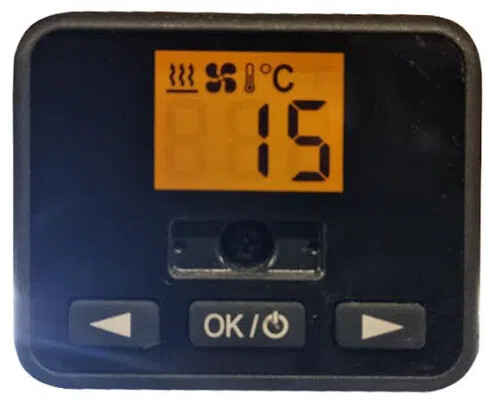
Press the Ok button to light the screen. The temperature will display.
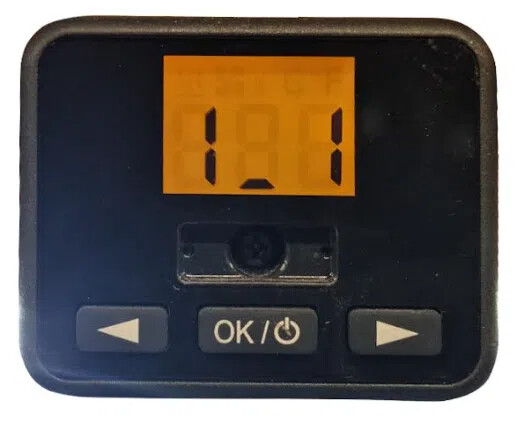
Long press simultaneously both arrows (Temp decrease and increase buttons). “1_1” will appear on the display.
Press Ok to display the Active Fault “AF” followed by the two digit fault code number. Press Ok to go back to “1_1”.
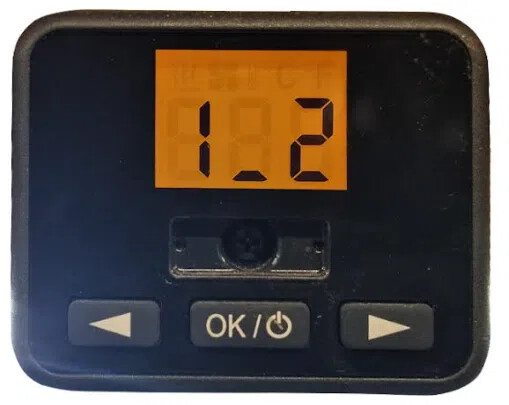
Press the “Temp(Increase)” button once to retrieve the other stored errors. When the display shows “1_2” press the OK button and navigate through the different Fault Numbers “Fn” with the arrow keys. Write down the codes for future reference. Press the Ok button to return to the previous screen (“1_2”)
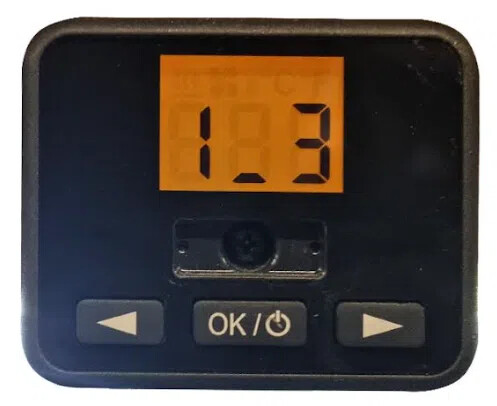
Clearing Fault Codes
Press the “Temp(Increase)” when the display shows “1_3” press the OK button button once, the display will read “Del”. Press Ok again and the errors will be erased. To go back to the normal menu wait until the screen goes blank.
Fault codes: